Export — OpenTimelineIO
How to export the selected sequences as OpenTimelineIO (.otio).
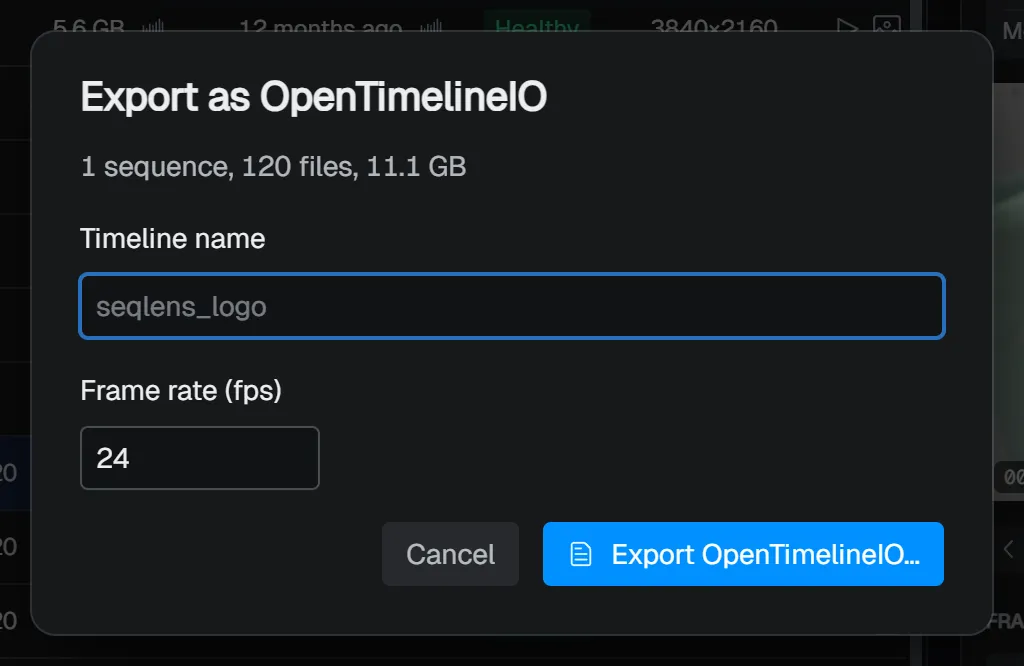
OpenTimelineIO is a file format for exchanging editorial information. In SeqLens, you can export the selected sequences as an .otio timeline. Use it when you want to hand sequences to a compatible editorial or compositing tool with their frame ranges. When nothing is selected, the entire current filter result is the target.
Open it from the row right-click menu Export → Export as OpenTimelineIO…, or from File → Export.
| Item | Description |
|---|---|
| Timeline name | The name of the exported timeline. If left blank, the project name is used. |
| Frame rate (fps) | The timeline fps (1 to 120). The fps from Project settings is the initial value. |
Running Export OpenTimelineIO… opens a Save As dialog. The default file name is generated from the timeline name (or the project name if it is blank).
In the exported .otio, the selected sequences are arranged in order as clips on a single video track. The media files themselves are not copied; they are exported as references to the original frame sequences.