MHL and copy verification
Checksum verification after a copy, and exporting an MHL manifest.
When you hand off camera footage or rendered results to another storage location, you often want to confirm that the destination files match the originals. SeqLens can run Verify after copy using checksums, and export a Media Hash List (.mhl).
The MHL it writes is the widely supported v1.1 format (<hashlist version="1.1">). Note that this is a different format from the newer ASC MHL 2.0.
Exporting an MHL
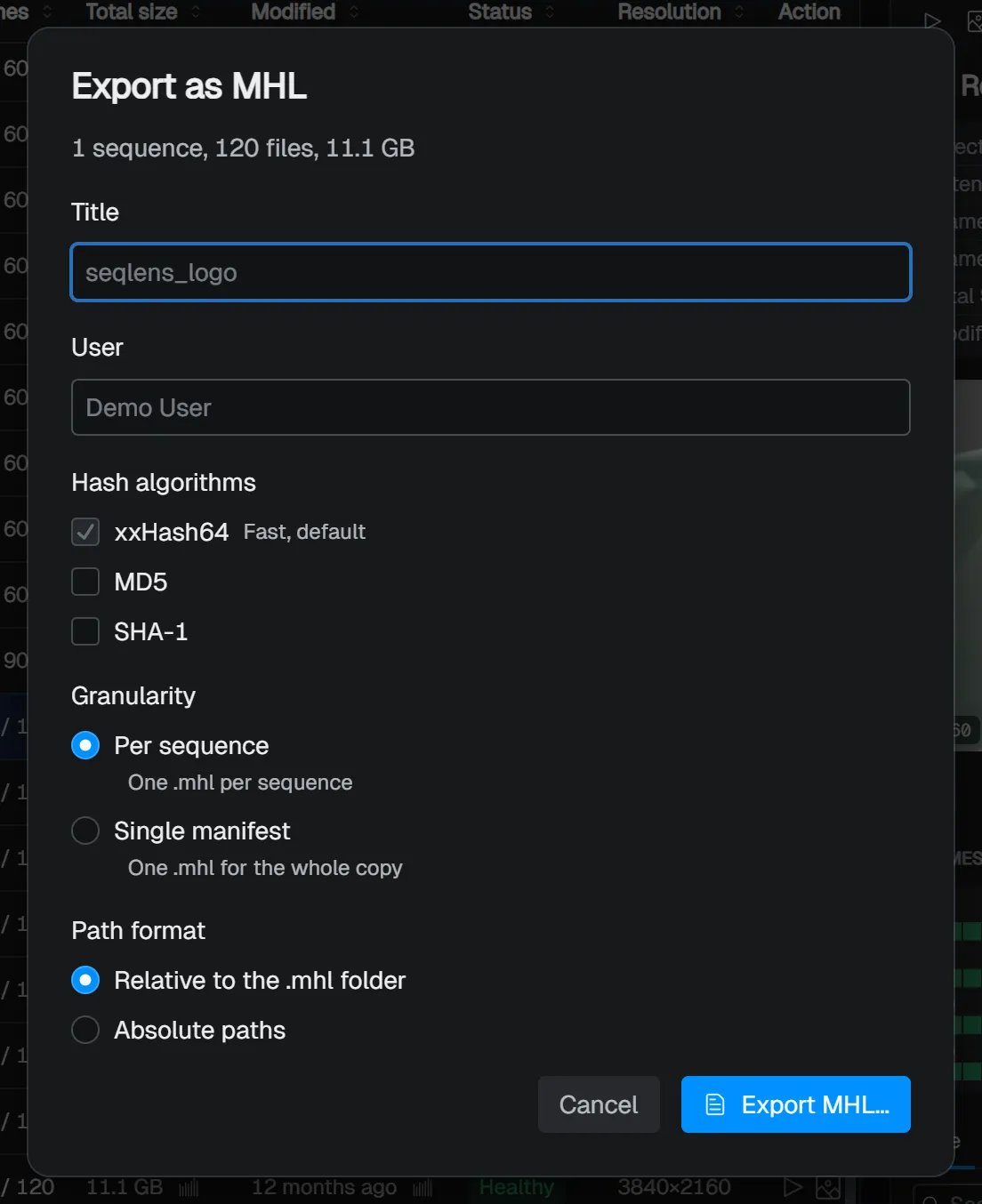
Choose Export → Export as MHL… from a row’s right-click menu to write a checksum manifest for the selected sequences.
| Item | Description |
|---|---|
| Title | Used for the default .mhl file name. If left empty, the project name is used. |
| User | Author information recorded in the manifest. If left empty, your sign-in name is used. |
| Hash algorithms | xxHash64 (fast, default, always on), plus optional MD5 / SHA-1. |
| Granularity | Per sequence (one .mhl per sequence) / Single manifest (one for the whole copy). |
| Path format | Relative to the .mhl folder / Absolute paths. |
Verify after copy
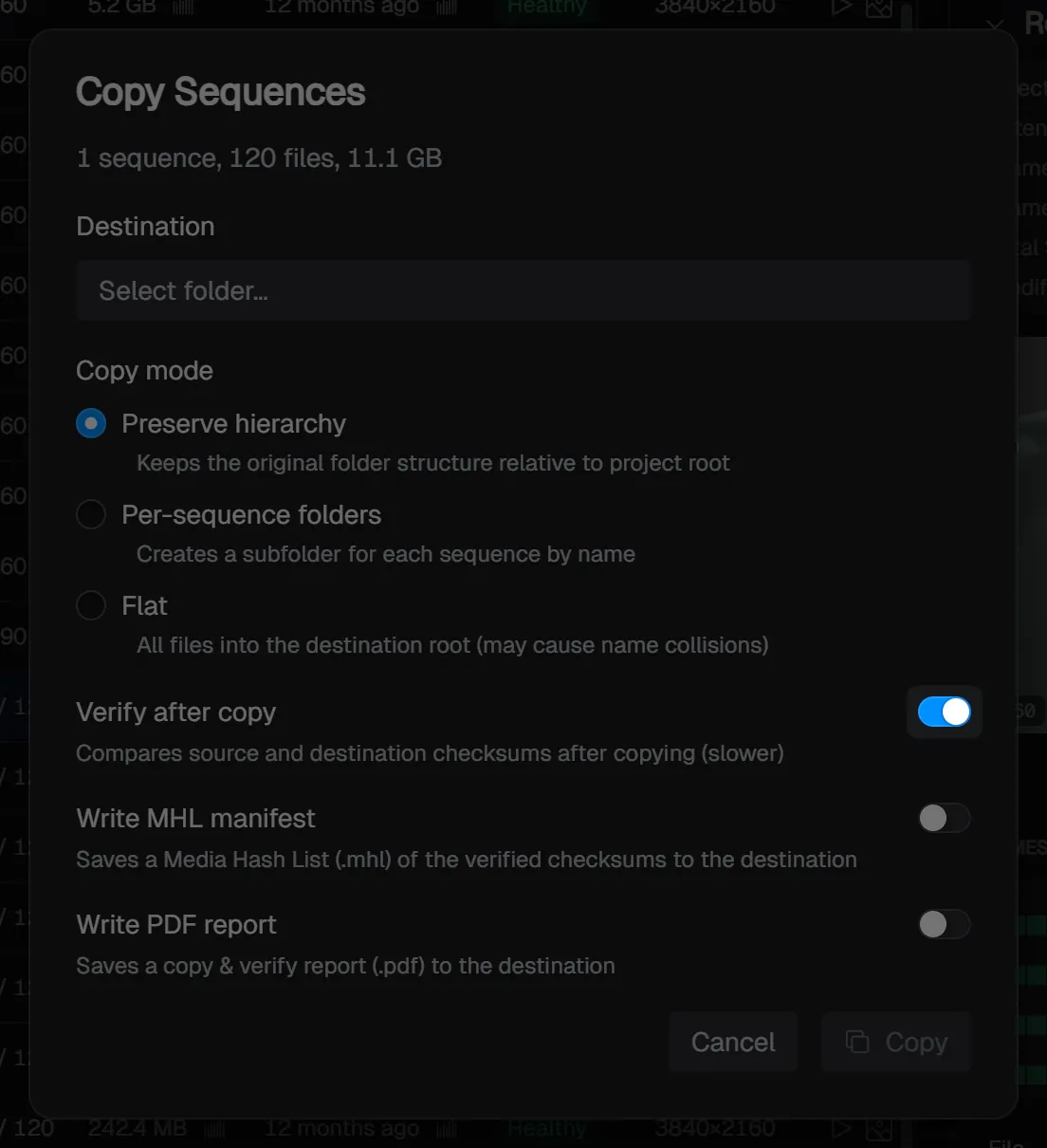
Turn on Verify after copy in the Copy dialog to compare source and destination checksums once the copy finishes. It takes longer than a plain copy, but it confirms the result.
If any file fails verification, the job is treated as failed and the count is shown in the Jobs window. Even when an MHL is written, only the files that passed verification are recorded in the manifest.
Turning on verification reveals two options:
- Write MHL manifest — Saves the checksums obtained during verification as a
.mhlto the destination. In the following settings step you specify the MHL options above (title, user, algorithms, granularity, path format). - Write PDF report — Saves a
.pdfreport summarizing the copy and verification results to the destination. You can set the page size, orientation, and a note, with a live preview as you go.
TIP
For steps where you want a record, such as delivery or archiving, combining verify after copy with an MHL is recommended. If you also need a human-readable record, you can write a PDF report.