Anomaly detection
How to set up rules that flag frames whose size or modified time differs sharply from their neighbors.
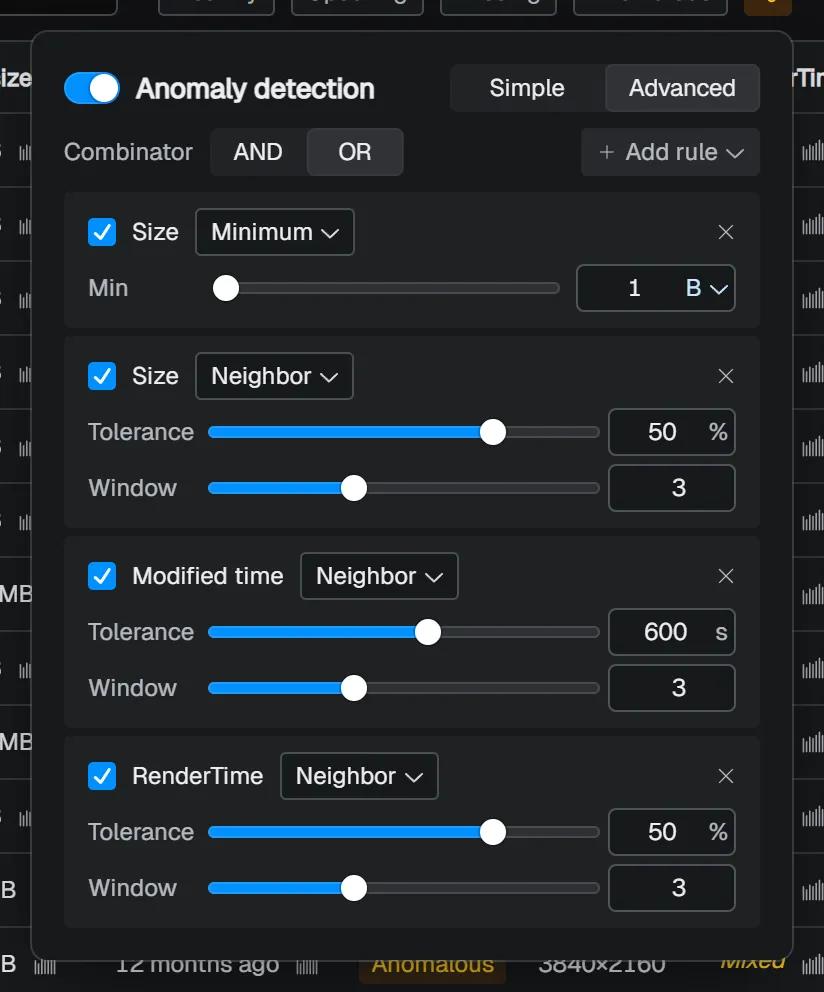
Anomaly detection helps you find frames that are not missing, but still need review. For example, it can find frames that became extremely small because an export failed, or frames whose modified time differs sharply from nearby frames.
Open settings from the slider-shaped icon in the filter bar (Anomaly detection settings). When at least one valid rule exists, the icon changes color. Use the switch at the top to turn anomaly detection on or off, and choose Simple / Advanced for the setup method.
Anomaly detection settings are saved per project (when no project setting exists, the global setting is used as a fallback).
Simple mode (default)
In Simple mode, you can check size and modified time. This is usually the best place to start.
- Size - finds 0-byte frames, or frames whose size differs greatly from nearby frames.
- Modified time - finds frames whose modified time is far away from neighboring frames.
Each row’s slider uses a logarithmic scale. The current value is shown at the right edge (Size uses ±n%; Modified time uses ±n s / ±n m / ±n h / ±n d).
Advanced mode
In Advanced mode, you can combine conditions using size, modified time, and metadata columns. Multiple rules are connected with AND / OR. Add rule shows the built-in size and modified time fields, plus the metadata columns currently added.
| Value type | Detection modes | Main parameters |
|---|---|---|
| Number | Median / Neighbor / Minimum / Maximum / Equals / Not equals (metadata columns also support Most common / Is missing / Is present) | Tolerance (Median / Neighbor), Window (Neighbor, default 3), Min / Max / Target (for Size, choose units from B / KB / MB / GB) |
| Date | Median / Neighbor / Before / After (metadata columns also support Most common / Is missing / Is present) | Tolerance (Median / Neighbor, unit: seconds), Window (Neighbor), Before / After (specify the reference date and time) |
| String | Equals / Not equals / Contains / Doesn’t contain / Starts with / Ends with / Matches regex / Most common / Is missing / Is present | Target (comparison target; for regex, the regular expression pattern. If empty, the check is skipped) |
| Boolean | Is true / Is false / Most common / Is missing / Is present | - |
Most common, Is missing, and Is present are available only for metadata columns. Built-in size and modified time always have values, so these modes are not shown for them. Before / After can be used with modified time and date-type metadata columns, and detect frames before or after the reference date and time as anomalous.
Each rule can be turned on or off with the checkbox on the left, changed to another detection method with the menu in the middle, and removed with the × at the right edge.
Checking and using results
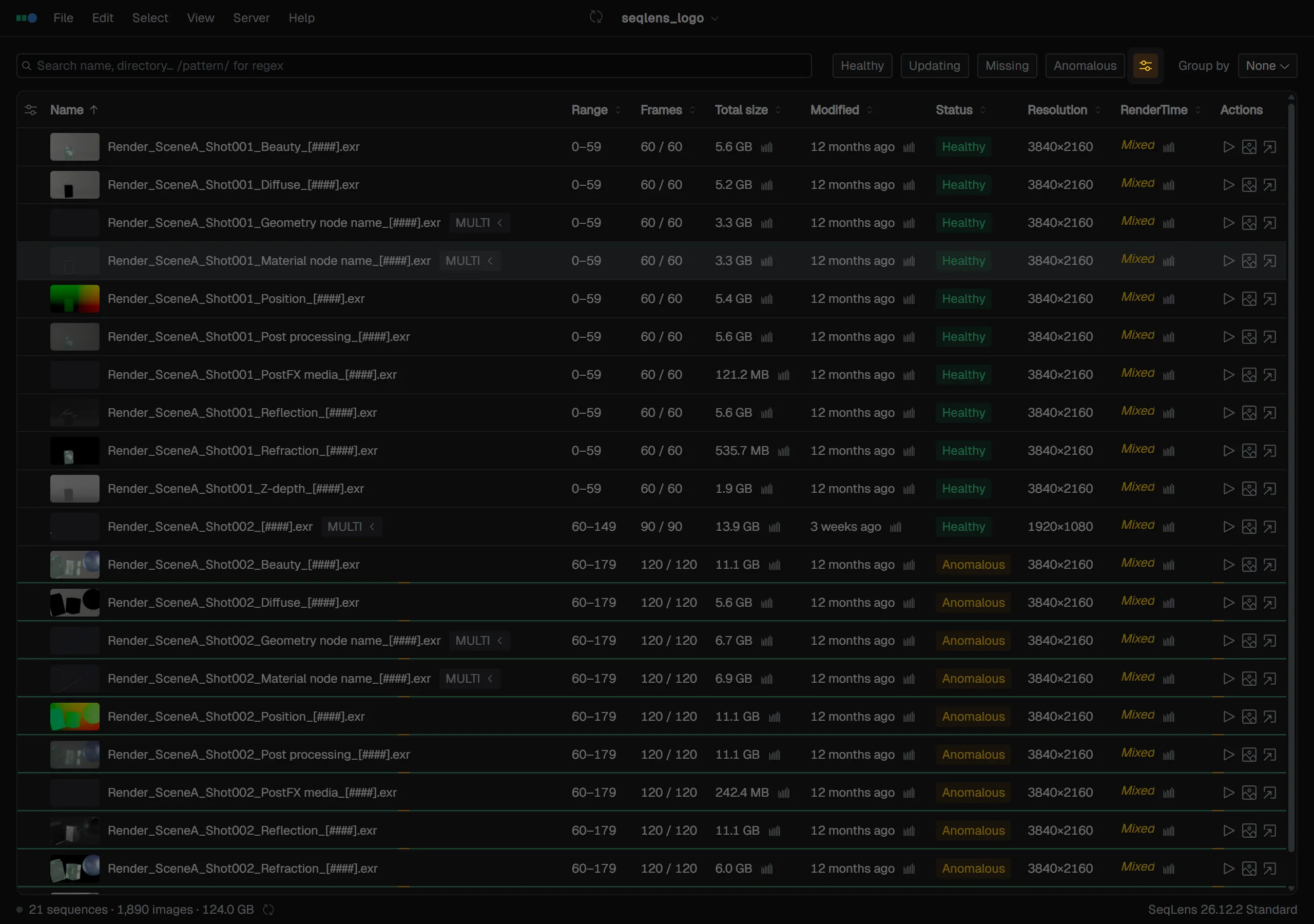
Detected sequences show Anomalous in the Status column. Matching frames are also marked in color on the frame strip along the bottom edge of the row.
To check only anomalies, choose Anomalous in the filter bar. Choosing Anomalous while anomaly detection is off turns it on automatically.
To select the matching items together, use Select Anomalous. It is available from the Select menu and from the command palette, and selects every anomalous sequence in the table at once. Inside Lens’s frame list (frame grid), the right-click menu’s Select anomalous frames selects only the matching frames within that sequence.