Export results
Export the sequences you've checked as a PDF report, CSV or JSON listings, review MP4s, ZIP archives, or files for editorial and compositing apps.
Exports cover the sequences selected in the table. With nothing selected, they cover every sequence currently shown after search and filters.
| Format | Typical use | Where to start |
|---|---|---|
| Reporting to production or supervisors, with thumbnails | File > Export | |
| CSV / JSON | Spreadsheets and pipeline scripts | File > Export |
| MP4 | Review clips to share over chat or email | Edit > Convert to… > MP4 (H.264) |
| ZIP | Sending sequences as a bundle | Edit > Archive… |
| OpenTimelineIO | Handing sequences to an editor with frame ranges | File > Export |
| After Effects | Importing straight in as footage | File > Export |
Every format is also in the row’s right-click menu. Exports run as jobs, and you can cancel them from the jobs window at any point.
PDF report
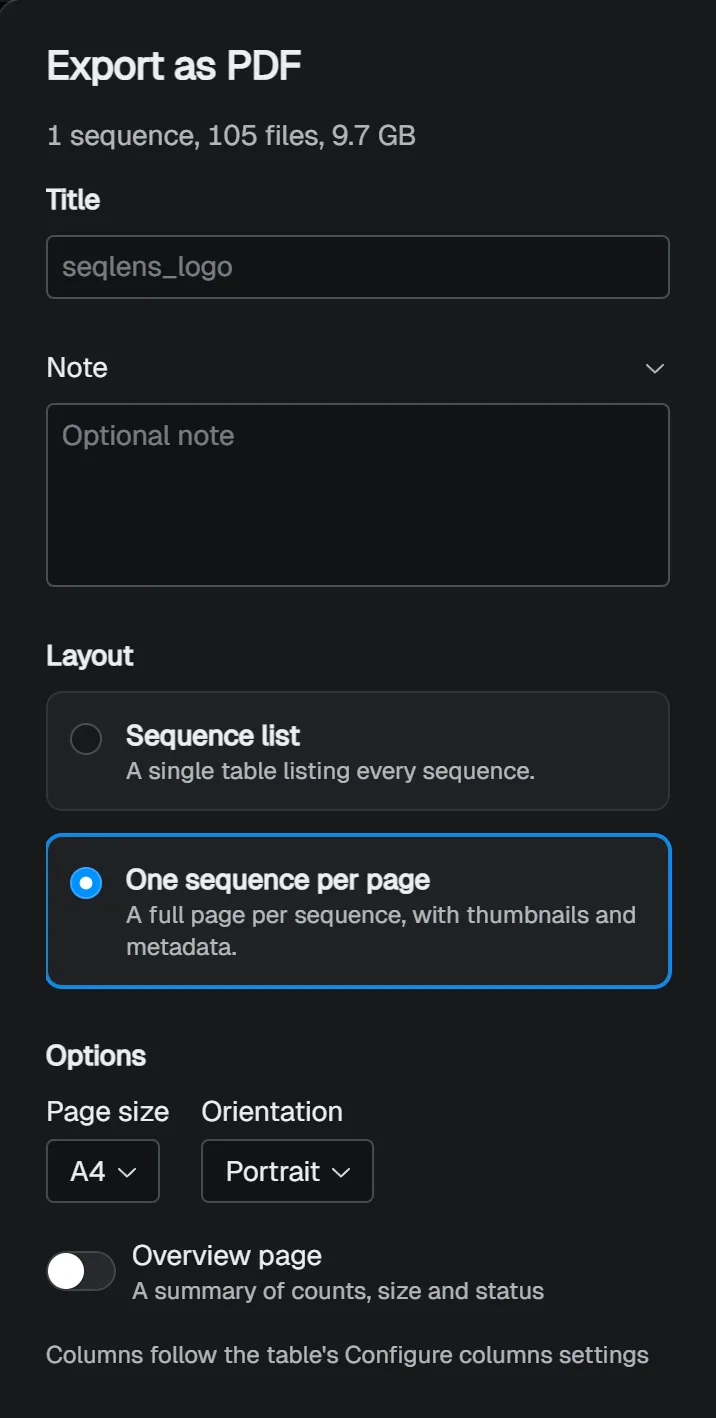
The PDF is a report for people to read. Changes on the left show up in the preview on the right.
- Layout: Sequence list puts every sequence in one table; One sequence per page gives each sequence a page with thumbnails and metadata.
- Title and Note: the report’s heading and any notes you want to include.
- Paper size, Orientation, and whether to add a summary page with counts, sizes, and statuses.
The table columns follow the table’s Configure columns setting. Show the columns you need in the table first, and the report picks them up.
CSV and JSON
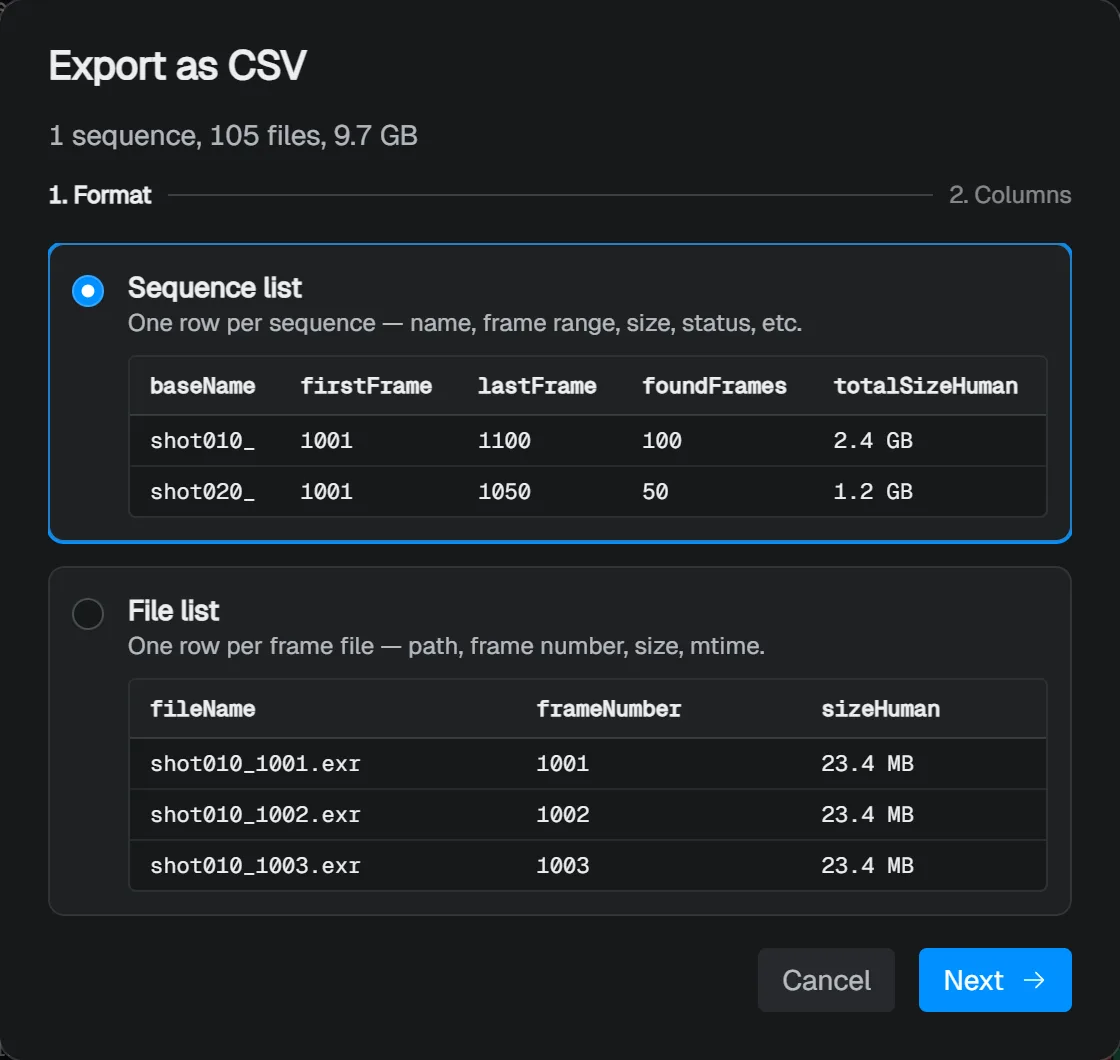
For CSV, first choose what one row stands for. In a Sequence list each row is a sequence; in a File list each row is one frame file.
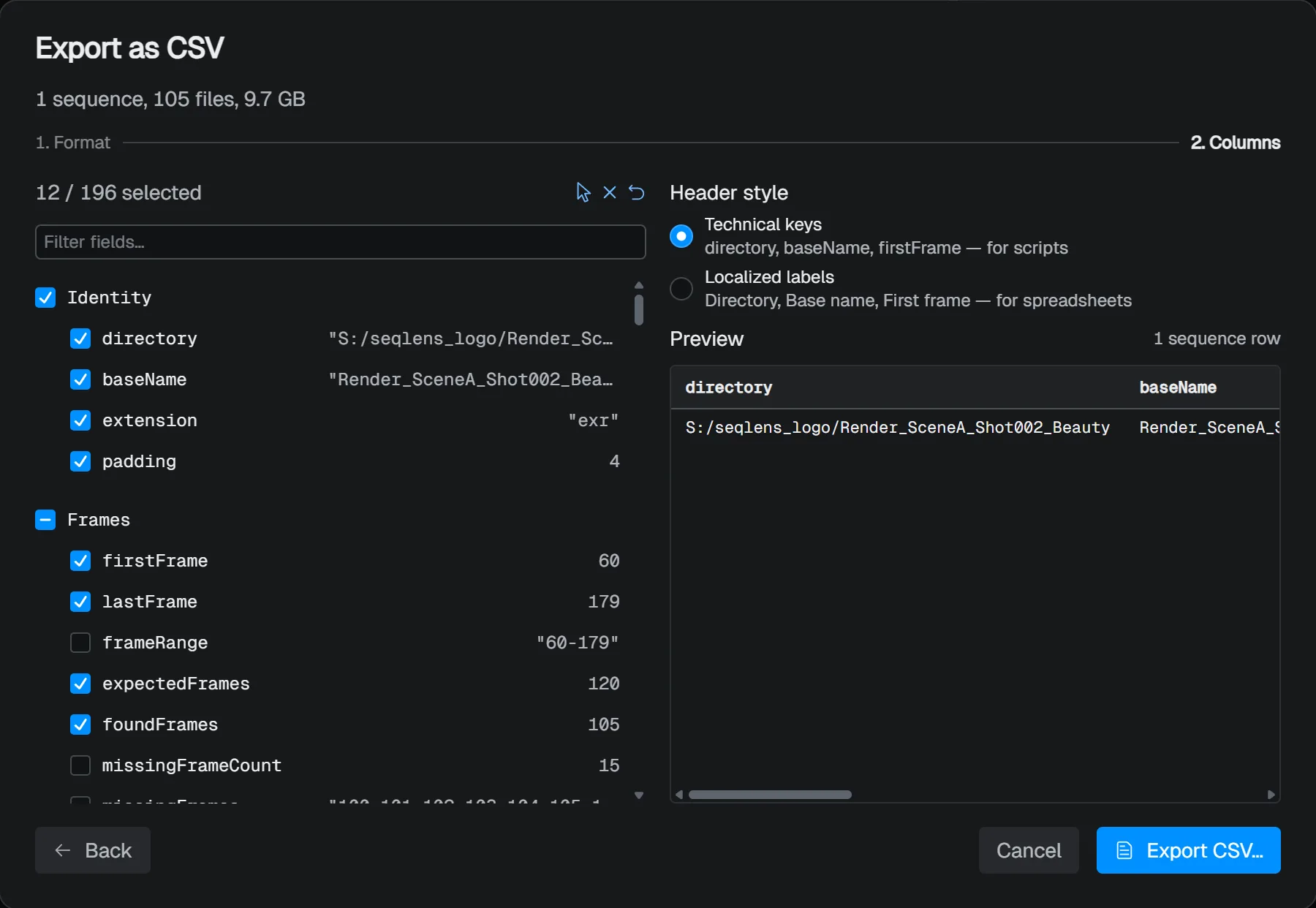
The next step picks the columns.
Header style sets whether the header row uses Technical keys such as baseName or Localized labels such as “Base name”.
Technical keys suit scripts; localized labels suit people reading a spreadsheet.
Image metadata and regex columns can be added as columns too.
For JSON, choose one of three structures:
| Structure | Contents |
|---|---|
| Flat | An array of sequences, without frame data |
| Nested (with frames) | Each sequence carries a frames array |
| JSON Lines | One sequence per line |
Relative paths writes paths relative to the project folder, and Include $schema envelope adds $schema and related fields at the top.
File lists, and columns that read metadata from every frame, can make an export take a while.
Review MP4
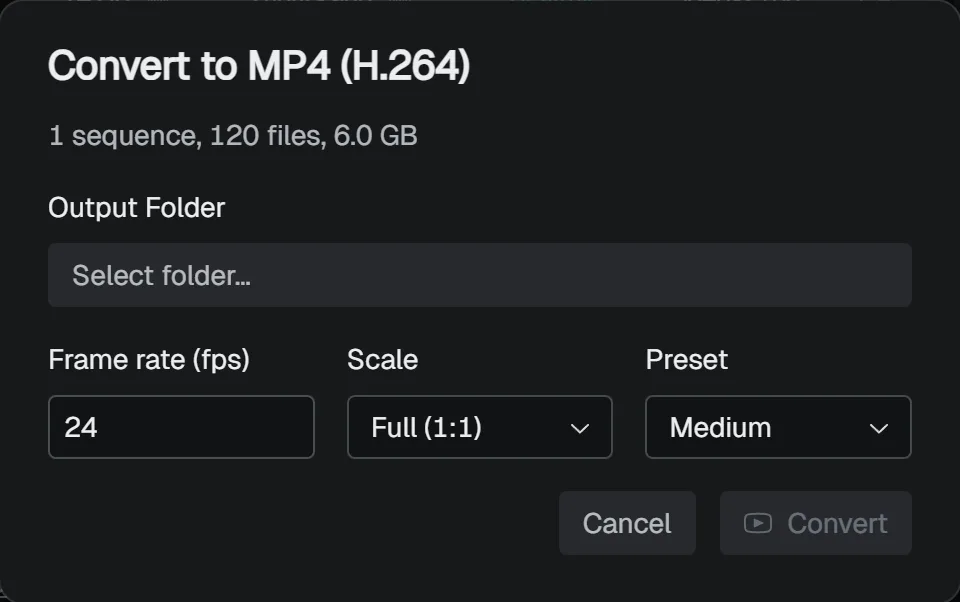
An MP4 is a lightweight clip for sharing for review. SeqLens makes one MP4 per sequence, named after the sequence.
| Setting | What it does |
|---|---|
| Output Folder | Where the MP4s are saved |
| Frame rate (fps) | 1 to 120. Starts at the frame rate in the project settings (the last value used when that is App default) |
| Scale | Full (1:1), Half (1/2), or Quarter (1/4) |
| Preset | The trade-off between quality and speed: Fast, Standard, or Slow |
Sequences with missing frames can’t be converted to MP4. Fill in the missing frames first. For delivery, use the original image sequence rather than the MP4.
Setting up FFmpeg
MP4 export and Quick Play in the Lens need FFmpeg.
If SeqLens can’t find it when you use either, the Set up FFmpeg screen opens and downloads a build for your OS and CPU automatically.
The download goes into SeqLens’s data folder.
To use an FFmpeg you already have, choose Use my own binaries and set the ffmpeg path under Preferences > FFmpeg.
With the field left blank, SeqLens looks for FFmpeg on your system PATH, then for the one it downloaded.
Bundling as ZIP
Archive Sequences makes either one ZIP per sequence or a single ZIP of everything. In a single ZIP, each sequence gets its own folder. Only frames that actually exist go into the ZIP.
Handing off to editorial and compositing
Export as OpenTimelineIO… writes an .otio file with the selected sequences laid end to end on one video track.
The media isn’t copied; the timeline references the original sequences.
You can set the timeline name and frame rate.
Push to After Effects imports the selected sequences into After Effects as footage. It launches After Effects if needed, and adds the footage as layers when a composition is open. In After Effects, Preferences > Scripting & Expressions > Allow Scripts to Write Files and Access Network must be turned on.